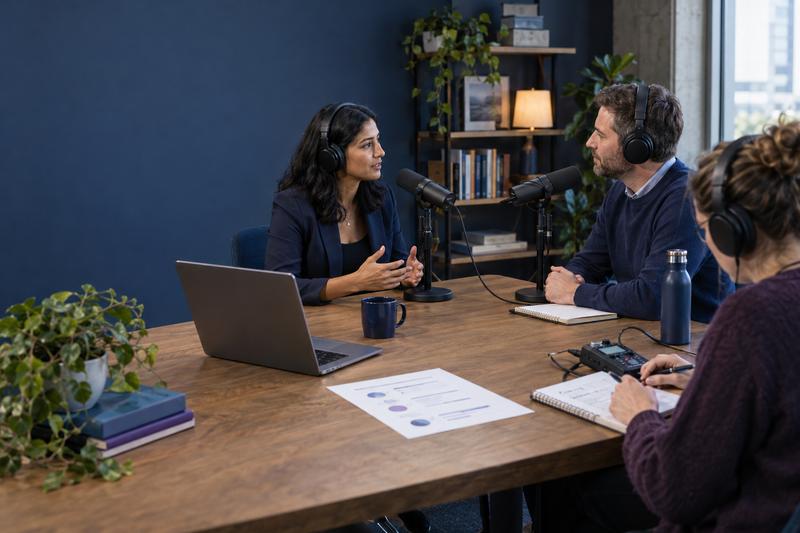

A B2B YouTube program is not a camera-and-calendar problem. It is a buyer-question system: identify questions worth answering, put credible expertise on screen, make each video easy to discover and act on, then use audience response to improve the next one. The goal is not to publish the most clips. It is to build a useful video library that helps the right buyers make progress before and during a sales conversation.
That distinction matters because a YouTube channel has a different job from an event archive or a feed of social snippets. A webinar can create a live moment and a reusable recording; a podcast can build a dependable conversation format. YouTube needs a distinct promise and discovery plan. For adjacent operating models, see this AI-assisted webinar content engine and this B2B podcast operating system.
Start with buyer questions, not a video quota
Collect candidate questions from sales calls, customer interviews, support themes, site search, product demonstrations, and search data. Ask sales and customer success to submit the exact language prospects use, along with the decision they are trying to make. Use YouTube search suggestions and competing videos as additional evidence, not as proof of demand by themselves.
Score each idea on four dimensions: audience importance, demonstrated question frequency, your access to credible expertise or evidence, and usefulness to a buying decision. A simple 1–3 score for each is enough to rank candidates. Give priority to a question that is common, costly to misunderstand, and answerable with a real example—not a broad keyword that could generate a generic explainer.
For instance, a SaaS team might replace “What is workflow automation?” with “How should a 20-person operations team migrate its approval process without interrupting month-end close?” The narrower question gives the expert a concrete scenario, the viewer a reason to stay, and the editorial team a clear basis for follow-up content.
Give every video one audience and one job
Map each proposed video to an audience segment and a decision stage. Early-stage videos can explain a problem or compare approaches; mid-stage videos can show implementation, trade-offs, and product workflows; late-stage videos can address evaluation criteria, migration, security, or proof. Do not force every video into a product pitch. A useful sequence can answer the next question without asking for more commitment than the viewer is ready to give.
Write a one-page video brief before scripting: target viewer; the question in their words; what they should understand or be able to do afterward; the evidence or demonstration needed; the opening promise; the next best action; and the success signal. This makes it easier to see when two proposed videos are really the same idea—or when a topic lacks a credible answer.
Choose formats that show the expertise
Match production to the question. A screen-share walkthrough is effective when the viewer needs to see a workflow. An expert explanation can clarify a difficult decision. A customer example can make a claim concrete, provided the customer has approved the story and the facts are verified. A short answer can resolve one narrow question; a longer tutorial is justified when the viewer needs the full process.
Start with a clear opening that confirms the title and thumbnail promise, then deliver a useful result quickly. Use a simple structure—problem, steps or decision logic, example, limitations, next step—rather than filling time with a long introduction. YouTube’s own audience-retention guidance recommends examining intros, top moments, spikes, and dips. A spike may mean people rewatched a valuable passage, but it can also mean the explanation was unclear; review the moment before treating it as a win.
Use AI for preparation, keep expertise and review human
AI can help cluster interview notes, turn a transcript into an outline, draft alternate titles, create a rough shot list, and produce a first-pass transcript or chapter suggestions. It should not invent customer stories, product capabilities, benchmarks, or quotations. Ground the script in approved source material and have the subject-matter expert verify every material claim and demonstration before recording.
Keep the human contribution visible: a useful point of view, a real workflow, a decision rule, or a lesson from experience. A polished voiceover assembled from generic summaries is easy to ignore and hard to distinguish. Capture permissions for customer footage and quotations, check captions and names, and review the final video and description as carefully as an article.
Make discovery and the owned-content path work together
Write a title and thumbnail that accurately express the viewer payoff; do not promise a result the video does not deliver. Organize videos into meaningful playlists, use descriptions to explain context and link to a relevant resource, and add chapters when they make navigation easier. Treat metadata as accurate labeling, not a place to stuff every keyword variant.
When search visibility on your own site matters, consider a dedicated page for a video when watching that single video is the page’s main purpose. Google’s video SEO guidance explains that a video must be prominent on an indexed watch page to be considered for video features, and recommends unique, consistent video information. A blog post where a video is only a supporting element is not automatically a watch page. Add structured data only when it truthfully reflects visible content, and validate the implementation; markup is not a ranking guarantee.
Give each video a next step that fits its job: a related guide, a checklist, a product walkthrough, a comparison, or a conversation with sales. Use tagged links and a consistent campaign naming convention so analytics can distinguish video-driven visits from other sources. This joins the YouTube discovery path to an owned destination without pretending that every view becomes a lead.
Measure learning and business outcomes, not views alone
Build a per-video scorecard with three layers. Discovery: impressions, click-through rate, search terms, and returning viewers. Value: watch time, retention patterns, meaningful comments, and completion of the intended action. Business: qualified visits, resource use, demo or trial actions, and opportunities where the video was encountered. Views are useful context, but they cannot tell you by themselves whether the audience was right or whether the video helped a decision.
Compare like with like—similar formats, audience intent, and video lengths—rather than imposing one retention benchmark across every topic. YouTube says retention data can take one to two days to process, and its report can reveal where viewers leave or rewatch. Pair those observations with site and CRM signals; use cautious language for assisted influence because exposure is not the same as causal lift. A practical feedback loop is to bring useful viewer questions and sales feedback into the next planning cycle, as in a broader content feedback system.
A lightweight 90-day pilot
- Weeks 1–2: Set the brief. Choose one audience segment, one business problem, and a small set of questions with evidence behind them. Agree on the owner, reviewer, CTA, tracking, and capacity before recording.
- Weeks 3–6: Publish the first set. Release a manageable mix—such as one core walkthrough and two focused answers each month. Keep production quality clear and consistent, but do not let elaborate production delay useful expertise.
- Weeks 7–10: Improve the experience. Review title-to-video fit, opening retention, audience questions, and visits to linked resources. Update descriptions or chapters where they reduce friction; do not rewrite everything because of a small sample.
- Weeks 11–13: Decide what earns another cycle. Compare the pilot’s topics and formats by audience quality, useful engagement, downstream actions, and production effort. Expand the patterns that perform across several signals, revise promising but weak executions, and stop work that has no distinct audience value.
Assign one accountable channel editor, an expert who can supply and verify the substance, and a producer or editor responsible for the publishing checklist. AI may speed up preparation, but ownership for claims, permissions, accessibility, links, and measurement should remain explicit.
Use current evidence carefully
Video benchmarks are directional, not universal targets. Wistia’s 2026 State of Video report combines a survey of more than 900 professionals with data from over 13 million videos on its platform. It reports LinkedIn as the most-used primary B2B video-sharing channel among surveyed teams, with YouTube also widely used. That is a reminder to give each channel a deliberate role—not evidence that one platform will outperform for every business. The same report notes that video length and format results vary, so test against your audience and objective.
A durable YouTube engine is a repeatable learning system: buyer evidence informs a specific promise, credible experts deliver the answer, discovery leads to a useful next step, and performance changes the next editorial decision. Start small, keep the bar for usefulness high, and scale only when the team can sustain both the publishing rhythm and the quality controls.